01
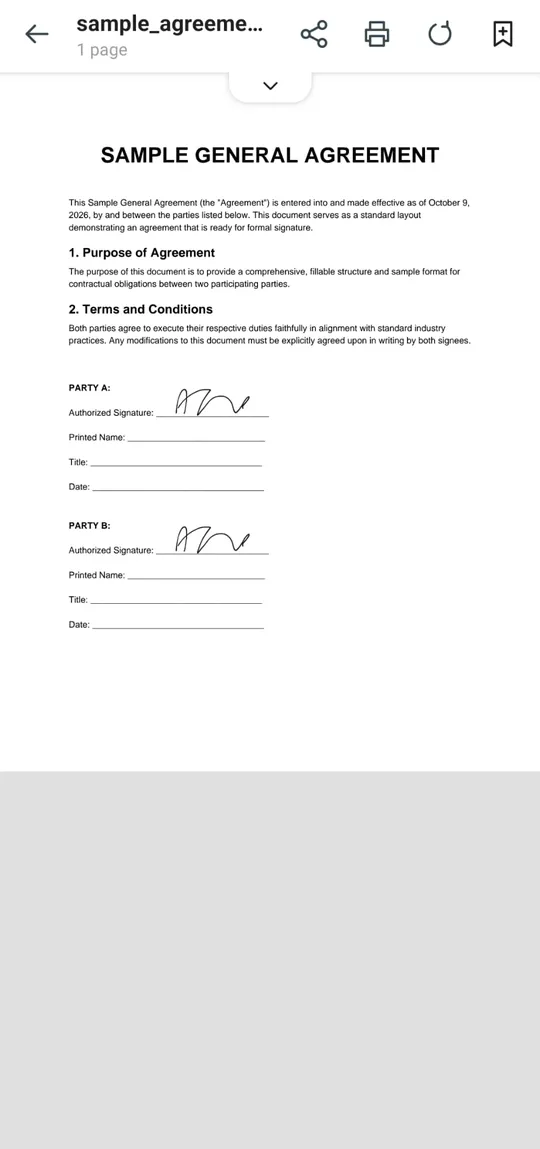
Sign PDF & fill forms
Draw or type your signature and drop it anywhere on the page. Fill text fields, checkboxes and lists, add text, images, highlights and arrows, and black out sensitive details.
 PDF Editor
עברית
PDF Editor
עברית
Free Android app · works offline
Read, sign, edit, scan and convert PDF files in one app. No account, no uploads – everything runs on your device.
Draw or type your signature and drop it anywhere on the page. Fill text fields, checkboxes and lists, add text, images, highlights and arrows, and black out sensitive details.
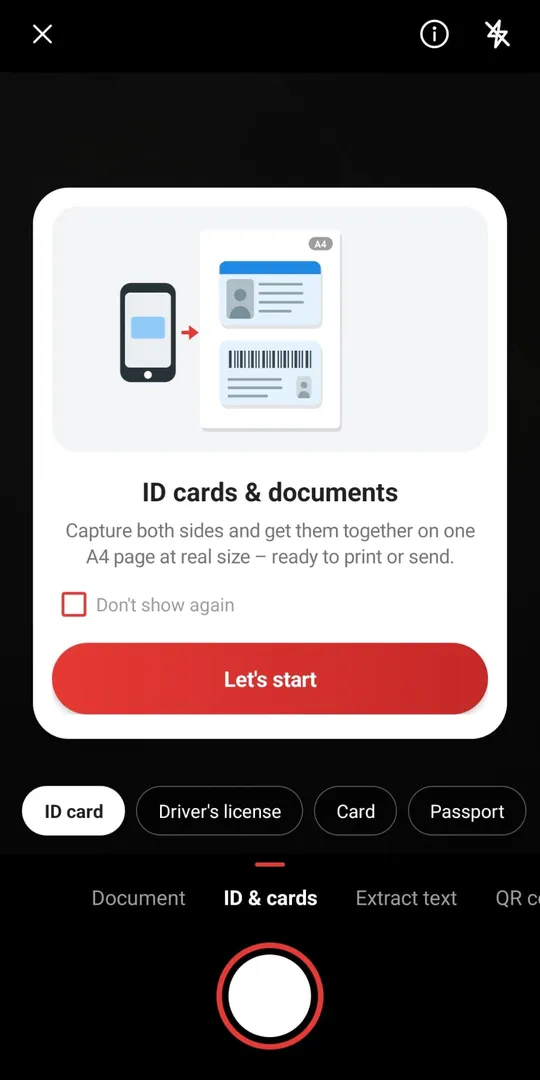
Scan pages, receipts and both sides of an ID card onto one A4 page at real size. Automatic edge detection, QR and barcode scanning, passport photos and date-stamped photos.
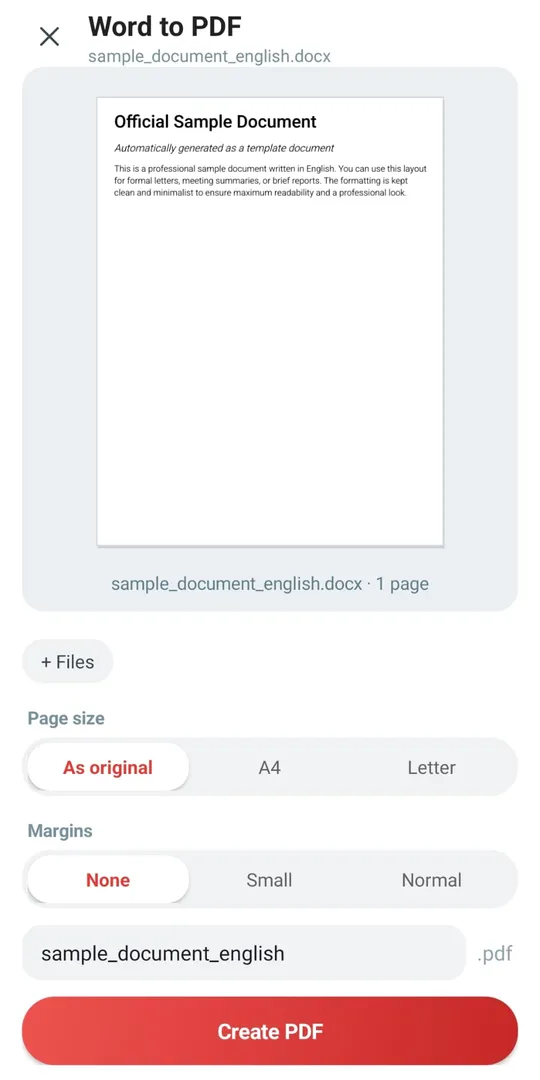
Word, Excel, images (JPG, PNG) and web pages to PDF. Share a file from any app, choose “Convert to PDF”, done.

Pull text out of scanned pages and photos – in English and Hebrew – and copy, share or export it.
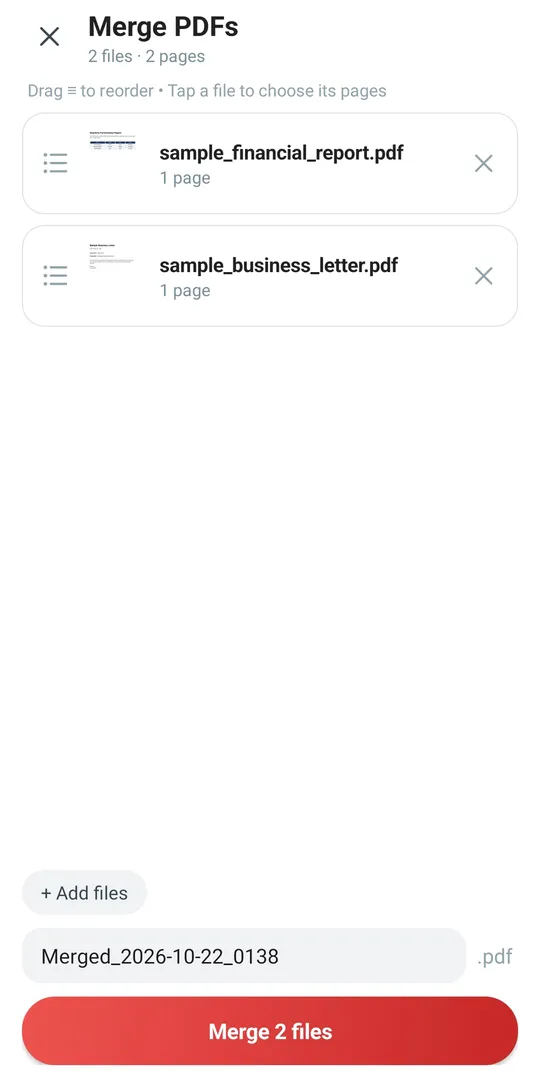
Combine PDF files, split one into several, shrink file size, add page numbers and watermarks, and protect a PDF with a password.
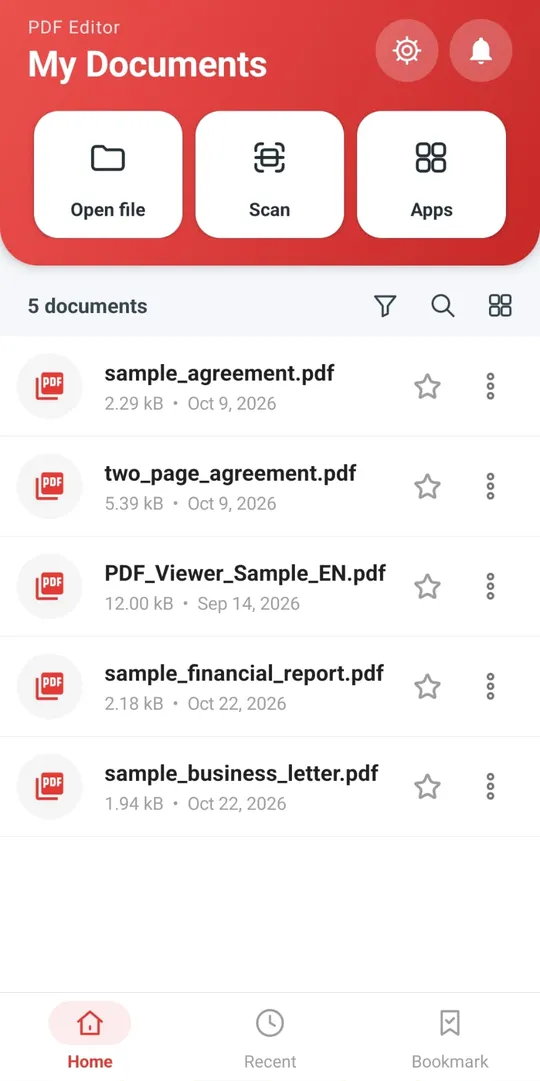
Smooth scrolling and sharp pinch-zoom, text search, bookmarks, dark mode, and read-aloud that highlights the current sentence.
All tools run on your phone. Your documents, signatures and history stay on the device and are never uploaded to a server – so it also works on a plane, in the basement or with no data plan.
Read the privacy policyYes. The app is free to download and use. It shows ads, and there is no subscription.
Yes. Reading, signing, editing, scanning, OCR and conversion all run offline on your phone.
No. Files are processed on your device only. Nothing is sent to a server.
Yes. Draw or type a signature, save it, and place it on any page. You can also fill PDF forms.
Yes – Word, Excel, JPG/PNG images and web pages. You can also share a file to the app from WhatsApp, Gmail or any file manager.
Yes. The app is fully translated to Hebrew and its OCR recognizes Hebrew text in scans and photos.